
Home/Purchase order automation
cXML OrderRequestPurchase order automation
Approved purchase orders are transmitted by the buyer’s procurement system and created as orders in your store automatically. Order entry is eliminated, together with the errors and delays associated with it.
- No manual order entry
- PO number on every order
- Duplicate POs detected
Overview
From approved requisition to order, automatically
When a requisition is approved, the buyer’s procurement system issues a purchase order. With cXML this is an OrderRequest document sent to a dedicated endpoint on your store.
Takeoff PunchOut authenticates the request, validates the content and creates the order with the purchase order number, buyer contact, delivery address and billing address. The order then follows your standard fulfilment process.
- Orders created without manual intervention
- Purchase order number, buyer contact and addresses recorded on the order
- Payment method, delivery method and initial order status defined per buyer
- Duplicate purchase orders recognized and not created twice
- Changes and cancellations flagged for review
Capabilities
Built for enterprise order volumes
Automatic order creation
Each OrderRequest is converted into an order in your commerce platform, ready for fulfilment and invoicing.
Authenticated per buyer
Every purchase order is verified against the credentials and shared secret of the sending organization.
Delivery charge handling
Delivery lines sent as separate items are identified and mapped to the correct shipping method.
B2B account mapping
Orders are assigned to the correct company, location and customer account, with the agreed pricing and terms.
Order audit trail
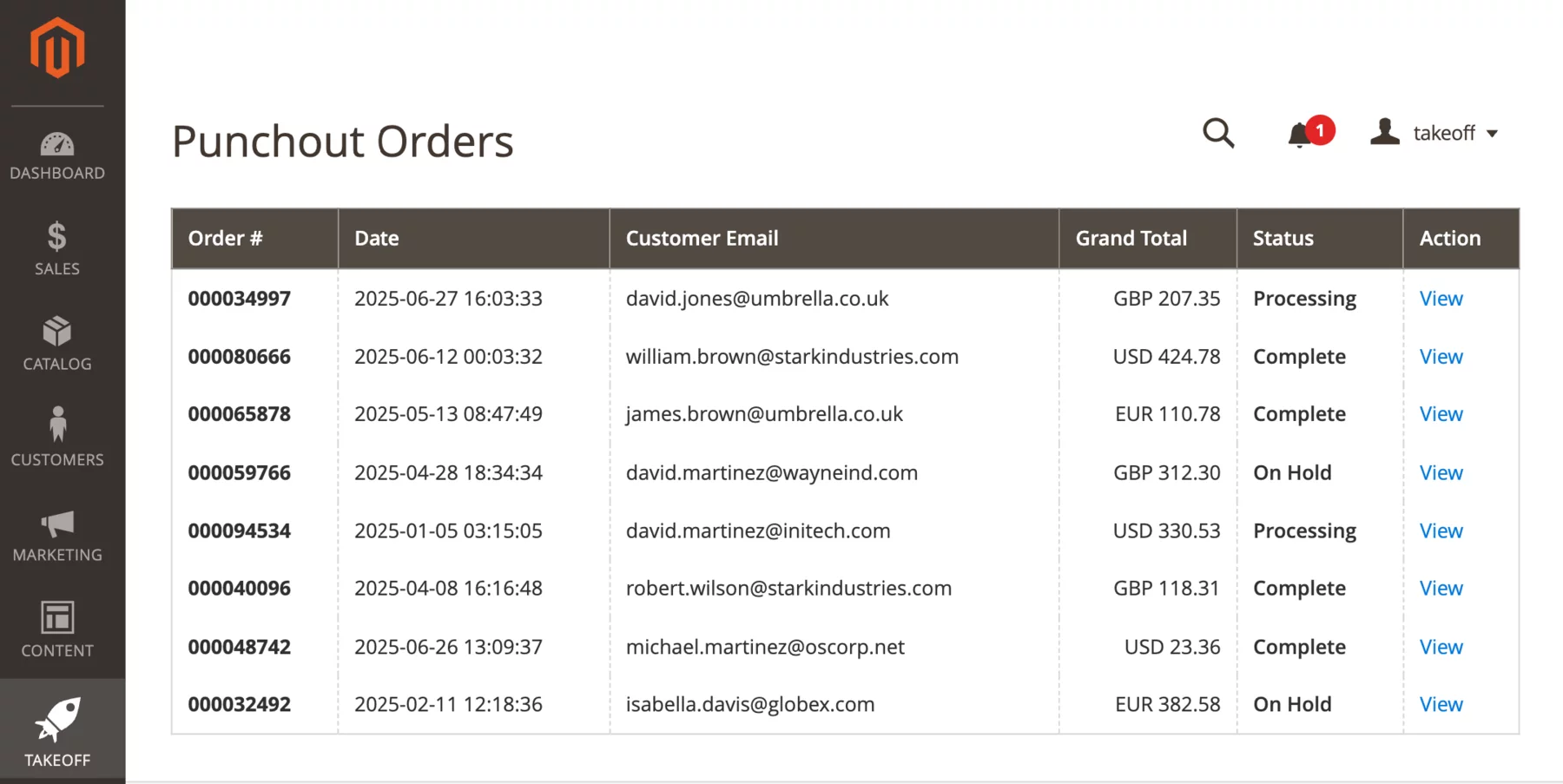
Every purchase order is logged with the full request and response, and listed in a dedicated PunchOut orders view.
Order confirmation
Order confirmations can be returned to the buyer’s system to complete the procurement record.
Process
How a purchase order is processed
Purchase order issued
The buyer’s system sends a cXML OrderRequest after the requisition is approved.
Authentication
The sender’s credentials and shared secret are verified.
Validation and mapping
Line items, units, addresses and delivery charges are validated and mapped.
Order created
The order is created in your store and enters your standard fulfilment workflow.
FAQ
Frequently asked questions
Which procurement systems send purchase orders by cXML?
SAP Ariba, Coupa, Jaggaer, Oracle (including through the Oracle Supplier Network) and Workday can all transmit purchase orders as cXML OrderRequest documents. The transmission method is configured by the buyer.
What happens if the same purchase order is sent twice?
The purchase order is recognized as a duplicate and a second order is not created.
How are purchase order changes and cancellations handled?
Change and cancellation requests are flagged for your team to review, so that amendments are applied deliberately rather than automatically.
Does OCI support purchase orders?
No. OCI covers the catalog session and cart return only. For SAP buyers using OCI, the purchase order is delivered by the method configured in the buyer’s SAP system.
Is purchase order automation priced separately?
No. Purchase order processing is included in every Takeoff PunchOut plan.
Ready to become PunchOut-enabled?
Tell us which commerce platform you operate and which procurement systems your customers use. Our team will respond with a recommended approach and pricing.